Archive
Hardware and Network Troubleshooting
Table of Contents
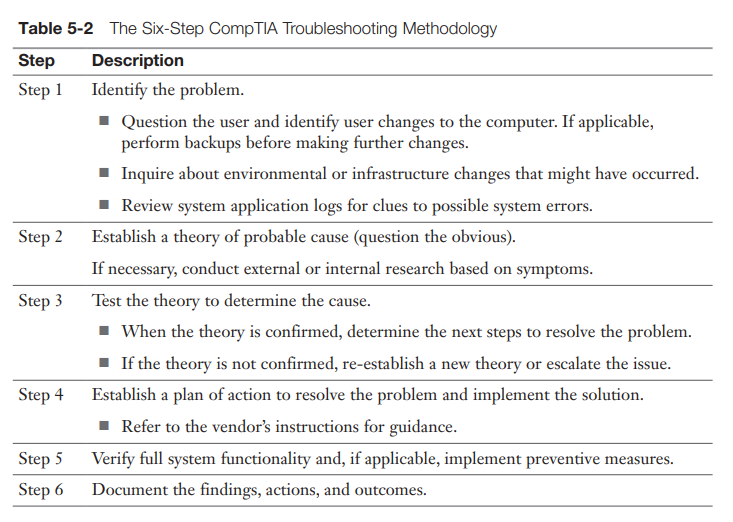
Troubleshooting Methodology
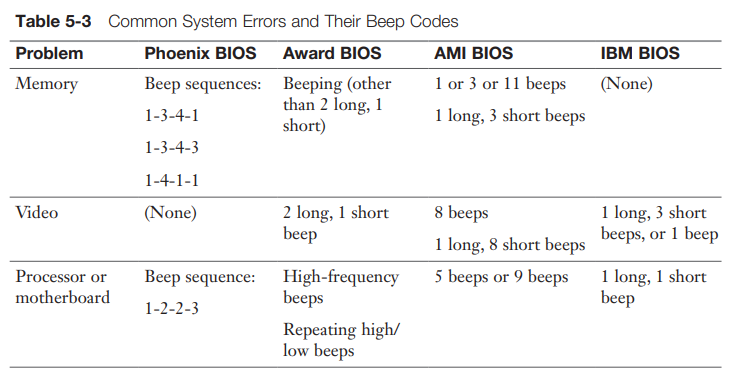
POST Beep Codes
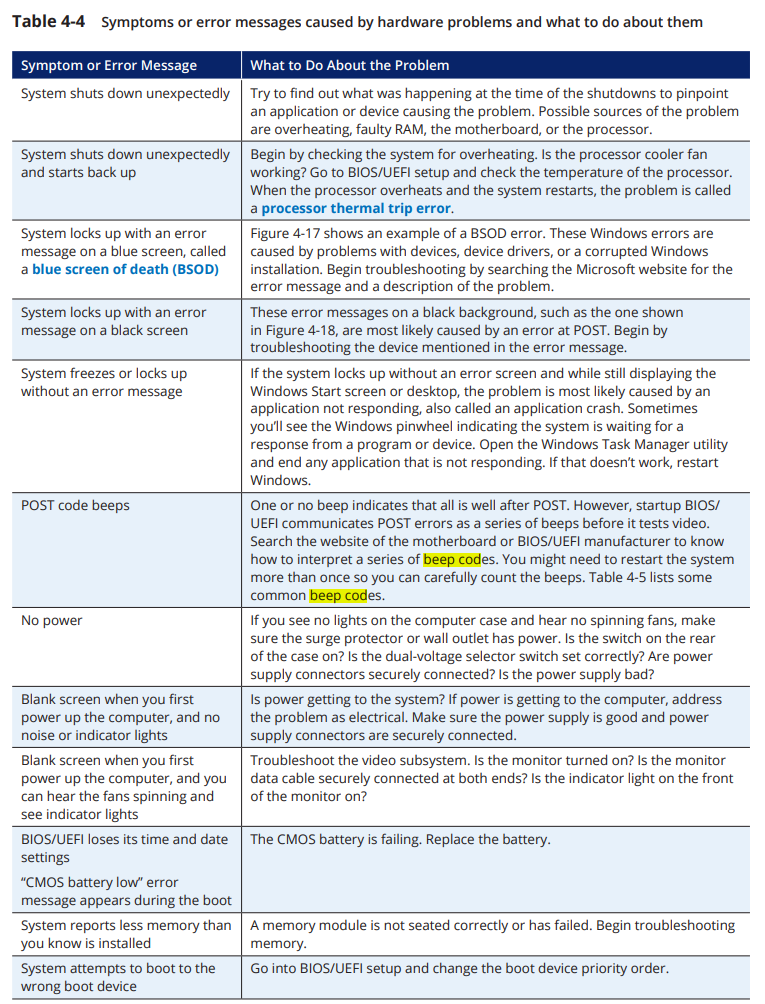
One or no beep indicates that all is well after POST. However, startup BIOS/
UEFI communicates POST errors as a series of beeps before it tests video.
Search the website of the motherboard or BIOS/UEFI manufacturer to know
how to interpret a series of beep codes. You might need to restart the system
more than once so you can carefully count the beeps.
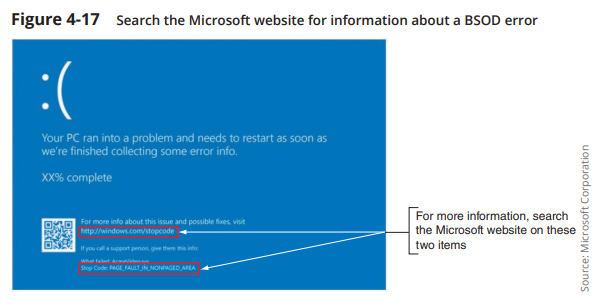
Windows STOP Errors – Blue Screen of Death [BSOD]
These Windows errors are caused by problems with devices, device drivers, or a corrupted Windows installation. Begin troubleshooting by searching the Microsoft website for the error message and a description of the problem.
BSOD Causes
BSOD Solutions
macOS Pinwheel (continuous spinning cursor)
Black (Blank) Screen
Blank screen when you first power up the computer, and you can hear the fans spinning and see indicator lights:
Misc